【解决办法】安装jdk1.8.0_51后,eclipse mars打不开了,启动时画面一闪而过 [Picture]再安装个jdk1.7.0_80。
修改eclipse的桌面快捷方式,把目标改成"D:\Program Files\eclipse\eclipse-java-mars-2-win32\eclips... 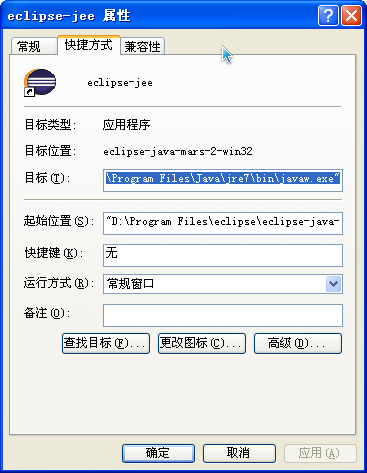 |
安装java7后,xp系统可正常运行eclipse mars 2版本 [Picture] |
eclipse neon版本在win7系统下的截图 [Picture] |
eclipse luna版本在xp系统下的截图 [Picture] |
| There are 4 picture topics in this bar. |
Content converter: |
