巨大八爪鱼
武林盟主 二十一级
巨大八爪鱼
武林盟主 二十一级
|
Floor 1
Posted at: 8/5/16 17:08
#include <stdio.h>
#include <Windows.h>
int main(void)
{
BITMAP bmp;
FILE *fp;
HBITMAP hbmp;
HDC hdc, hdcMem;
int x, y, i;
unsigned char dat;
hbmp = (HBITMAP)LoadImage(GetModuleHandle(NULL), TEXT("img.bmp"), IMAGE_BITMAP, (int)NULL, (int)NULL, LR_LOADFROMFILE);
if (hbmp == NULL)
{
puts("打开位图失败");
return 0;
}
GetObject(hbmp, sizeof(bmp), &bmp);
if (bmp.bmWidth == 84 && bmp.bmHeight == 48)
{
hdc = GetDC(NULL);
hdcMem = CreateCompatibleDC(hdc);
ReleaseDC(NULL, hdc);
SelectObject(hdcMem, hbmp);
fopen_s(&fp, "data.c", "w");
if (fp != NULL)
{
fputs("const unsigned char img[][84] = {\n", fp);
for (y = 0; y < 6; y++)
{
fputs("\t{", fp);
for (x = 0; x < 84; x++)
{
dat = 0;
for (i = 0; i < 8; i++)
{
dat >>= 1;
if (GetPixel(hdcMem, x, y * 8 + i) < 0x000010)
dat |= 0x80;
}
if (dat == 0)
fputs("0x00", fp);
else
fprintf(fp, "%#04x", dat);
if (x != 83)
fputs(", ", fp);
}
if (y == 5)
fputs("}\n", fp);
else
fputs("},\n", fp);
}
fputs("};", fp);
fclose(fp);
puts("取码成功!");
}
else
puts("打开c文件失败!");
DeleteDC(hdcMem);
}
else
puts("图像的尺寸必须为84x48!");
DeleteObject(hbmp);
return 0;
}
|
|
巨大八爪鱼
武林盟主 二十一级
|
Floor 2
Posted at: 8/5/16 17:11
【使用方法】 创建一个Visual Studio工程,类型为Win32控制台程序(空项目),然后新建一个Source.c的源文件,将代码复制进去后保存。然后把一张尺寸为84x48的bmp位图放在Source.c所在的文件夹,编译运行程序即可得到data.c文件,其中的内容就是取码得到的内容。 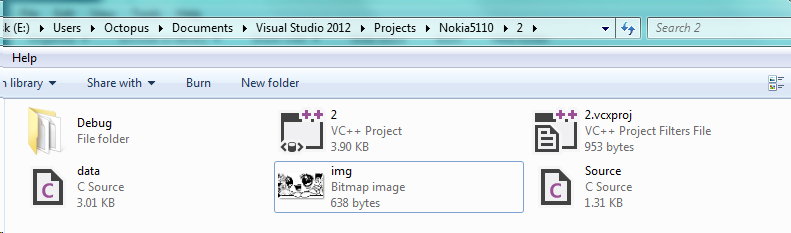 |
|
巨大八爪鱼
武林盟主 二十一级
|
Floor 3
Posted at: 8/5/16 17:13
注意:图像必须是黑白的,尺寸必须为84x48,且格式必须为bmp格式(不能为jpg等其他格式),否则将无法取码!
|
|
巨大八爪鱼
武林盟主 二十一级
|
Floor 4
Posted at: 8/5/16 17:15
【运行结果】 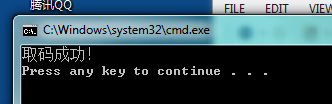 |
|
巨大八爪鱼
武林盟主 二十一级
|
Floor 5
Posted at: 8/5/16 17:16
【生成的C语言代码】 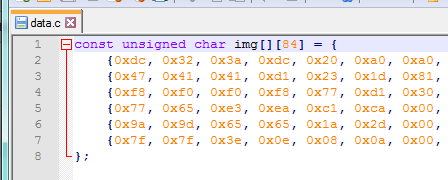 |