Home
>
Bar git
>
View post
English
Chinese (Mainland)
Chinese (Taiwan)
Chinese (Hong Kong)
Chinese (Singapore)
|
Sign in
|
Sign up
Bar
User
All
Author only
The author has
3
posts.
Font size:
Small - 100% (Default)
▼
Content converter:
No conversion
▼
Clicks
Replies
476
2
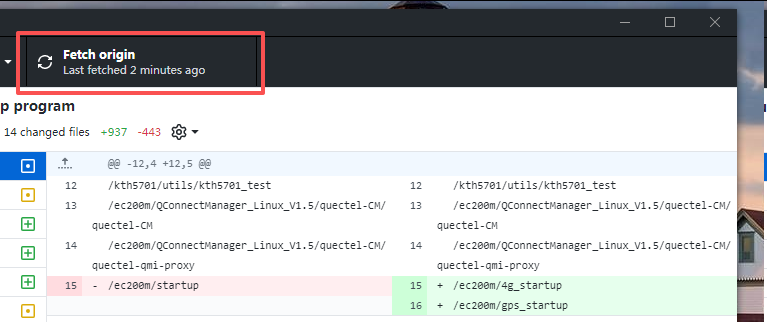
解决win7下GitHub Desktop无法Fetch origin的问题
巨大八爪鱼
武林盟主 二十一级
Reply
Floor 1
Posted at:
1/9/26 11:22
打开putty/PUTTYGEN.exe,点击File->Load private key菜单,选择打开ppk文件。
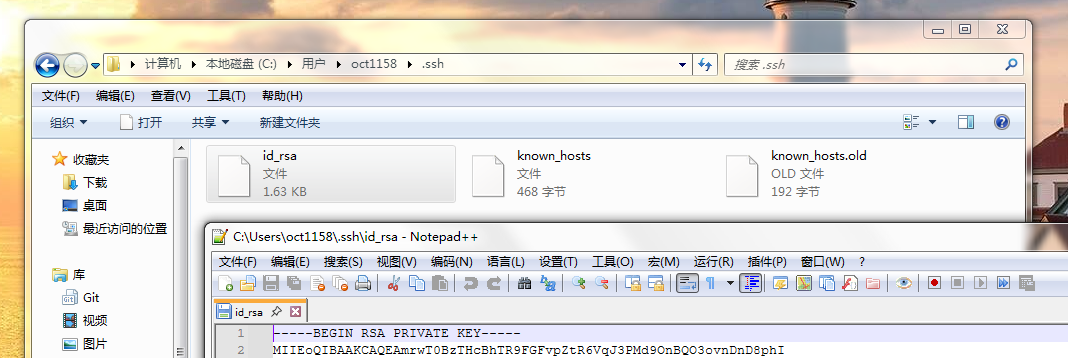
点击Conversions->Export OpenSSH key,如果弹出PuTTYgen Warning窗口的话点击是,选择保存到C:\Users\当前用户名\.ssh文件夹下的id_rsa文件中。
然后就可以在GitHub Desktop中使用Fetch origin功能了。
巨大八爪鱼
武林盟主 二十一级
Reply
Floor 2
Posted at:
1/9/26 11:23
巨大八爪鱼
武林盟主 二十一级
Reply
Floor 3
Posted at:
1/9/26 11:50
总之就是一定要有C:\Users\当前用户名\.ssh\id_rsa这个文件才行。
Reply the post
Content:
Picture
Video
Smiley
User:
You are currently anonymous.
Captcha:
Unclear? Try another one.
(Shortcut key: Ctrl+Enter)
Post Information
Clicks:
476
Replies:
2
Author:
巨大八爪鱼
Last reply:
巨大八爪鱼
Last reply time: 1/9/26 11:50
Announcements
【新功能】现在手机版发帖也可以上传图片了
【公告】布拉斯侃吧(Purasbar)全站已启用HTTP/2访问以及TLS1.3加密
【新功能】楼中楼功能已上线
【公告】Purasbar http访问方式已关闭,从现在起只能通过https方式访问
【新功能】现在可以直接在发帖框中粘贴图片啦!
【新功能】搜索框提示功能上線了
【公告】第十五次補丁包安裝完畢
【公告】從現在開始,管理員將停止審批會員
【公告】阿斯兰侃吧现在开始支持简繁混合搜索
【公告】阿斯蘭侃吧啟用https訪問
【公告】从今天开始,本站实行主题编号制
【新功能】图片缩放功能上线了